Decoupling Network Code
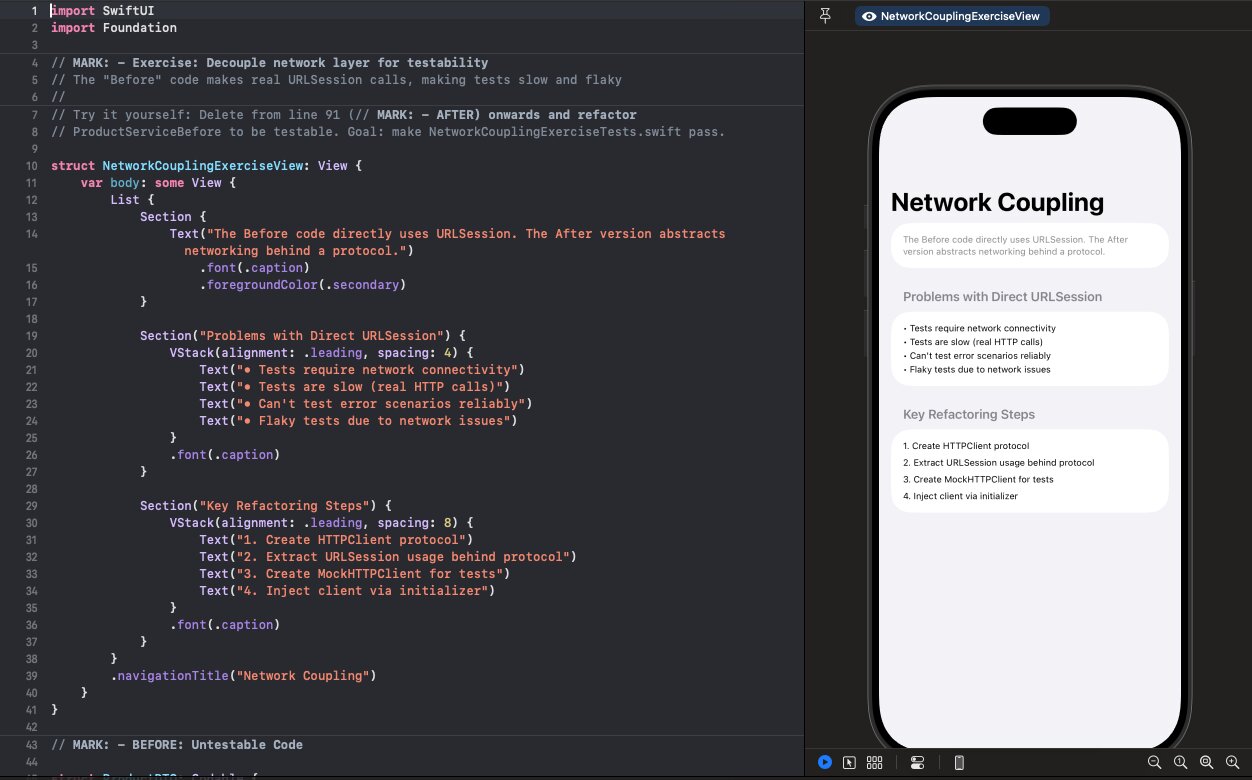
Your tests make real HTTP calls. They're slow when the network is good, flaky when it's not, and broken when you're offline.
Follow along with the code: iOS-Practice on GitHub
The Untestable Pattern
class ProductService {
    func fetchProducts() async throws -> [Product] {
        let url = URL(string: "https://api.example.com/products")!
        let (data, response) = try await URLSession.shared.data(from: url)

        guard let httpResponse = response as? HTTPURLResponse,
              httpResponse.statusCode == 200 else {
            throw NetworkError.invalidResponse
        }

        return try JSONDecoder().decode([Product].self, from: data)
    }
}
Every test that touches this code:
- Requires network connectivity
- Hits the real API server
- Depends on server state and availability
- Takes hundreds of milliseconds minimum
Want to try it yourself? In NetworkCouplingExerciseView.swift, delete everything from line 91 onwards (the // MARK: - AFTER section) and try to refactor ProductServiceBefore to be testable. Your goal: make all tests in NetworkCouplingExerciseTests.swift pass.
Step 1: Define the HTTP Protocol
Extract URLSession's interface into a protocol:
protocol HTTPClient {
    func data(from url: URL) async throws -> (Data, URLResponse)
    func data(for request: URLRequest) async throws -> (Data, URLResponse)
}
Step 2: Conform URLSession
URLSession already has these methods—just declare conformance:
extension URLSession: HTTPClient {}
That's it. No wrapper class needed.
Step 3: Inject the Client
class ProductService {
    private let baseURL: String
    private let httpClient: HTTPClient
    private let decoder: JSONDecoder

    init(
        baseURL: String = "https://api.example.com",
        httpClient: HTTPClient = URLSession.shared,
        decoder: JSONDecoder = JSONDecoder()
    ) {
        self.baseURL = baseURL
        self.httpClient = httpClient
        self.decoder = decoder
    }

    func fetchProducts() async throws -> [Product] {
        let url = URL(string: "\(baseURL)/products")!
        let (data, response) = try await httpClient.data(from: url)

        guard let httpResponse = response as? HTTPURLResponse,
              httpResponse.statusCode == 200 else {
            throw NetworkError.invalidResponse
        }

        return try decoder.decode([Product].self, from: data)
    }
}
Production code uses URLSession.shared by default. Tests inject a mock.
Step 4: Build the Mock
class MockHTTPClient: HTTPClient {
    var dataToReturn: Data = Data()
    var responseToReturn: URLResponse = HTTPURLResponse(
        url: URL(string: "https://test.com")!,
        statusCode: 200,
        httpVersion: nil,
        headerFields: nil
    )!
    var errorToThrow: Error?
    var requestedURLs: [URL] = []

    func data(from url: URL) async throws -> (Data, URLResponse) {
        requestedURLs.append(url)
        if let error = errorToThrow { throw error }
        return (dataToReturn, responseToReturn)
    }

    func data(for request: URLRequest) async throws -> (Data, URLResponse) {
        if let url = request.url {
            requestedURLs.append(url)
        }
        if let error = errorToThrow { throw error }
        return (dataToReturn, responseToReturn)
    }

    // Helper to configure responses
    func setResponse(statusCode: Int) {
        responseToReturn = HTTPURLResponse(
            url: URL(string: "https://test.com")!,
            statusCode: statusCode,
            httpVersion: nil,
            headerFields: nil
        )!
    }
}
Step 5: Write Fast, Deterministic Tests
class ProductServiceTests: XCTestCase {
    var mockClient: MockHTTPClient!
    var service: ProductService!

    override func setUp() {
        mockClient = MockHTTPClient()
        service = ProductService(httpClient: mockClient)
    }

    func test_fetchProducts_decodesResponse() async throws {
        // Arrange
        let products = [
            Product(id: 1, name: "iPhone", price: 999),
            Product(id: 2, name: "MacBook", price: 1999)
        ]
        mockClient.dataToReturn = try JSONEncoder().encode(products)

        // Act
        let result = try await service.fetchProducts()

        // Assert
        XCTAssertEqual(result.count, 2)
        XCTAssertEqual(result[0].name, "iPhone")
    }

    func test_fetchProducts_usesCorrectURL() async throws {
        // Arrange
        mockClient.dataToReturn = try JSONEncoder().encode([Product]())

        // Act
        _ = try await service.fetchProducts()

        // Assert
        XCTAssertEqual(
            mockClient.requestedURLs.first?.absoluteString,
            "https://api.example.com/products"
        )
    }

    func test_fetchProducts_whenServerReturns500_throwsError() async {
        // Arrange
        mockClient.setResponse(statusCode: 500)

        // Act & Assert
        do {
            _ = try await service.fetchProducts()
            XCTFail("Expected error")
        } catch {
            XCTAssertEqual(error as? NetworkError, .invalidResponse)
        }
    }

    func test_fetchProducts_whenNetworkFails_throwsError() async {
        // Arrange
        mockClient.errorToThrow = URLError(.notConnectedToInternet)

        // Act & Assert
        do {
            _ = try await service.fetchProducts()
            XCTFail("Expected error")
        } catch {
            XCTAssertTrue(error is URLError)
        }
    }
}
What You Can Test Now
With a mock HTTP client, you can test:
| Scenario | How to Test |
|---|---|
| Success response | Set dataToReturn with valid JSON |
| Empty response | Set dataToReturn with empty array |
| Server error | Set response with 4xx/5xx status |
| Network failure | Set errorToThrow |
| Malformed JSON | Set dataToReturn with invalid JSON |
| Timeout | Set errorToThrow with URLError(.timedOut) |
| URL construction | Check requestedURLs |
All without touching the network.
Tip: Complex Response Types. Setting dataToReturn with JSONEncoder().encode(...) works great for simple types. But real APIs often return deeply nested structures with dozens of fields. Instead of constructing these programmatically, load from a JSON fixture file:
func loadMockData(_ filename: String) -> Data {
    let bundle = Bundle(for: type(of: self))
    let url = bundle.url(forResource: filename, withExtension: "json")!
    return try! Data(contentsOf: url)
}

// In test
mockClient.dataToReturn = loadMockData("products_response")
Keep fixture files in your test target. This also makes it easy to test against real API responses—just save them as JSON files.
Advanced: Response Queuing
For testing sequences of requests:
class MockHTTPClient: HTTPClient {
    private var responseQueue: [(Data, URLResponse)] = []

    func enqueueResponse(data: Data, statusCode: Int) {
        let response = HTTPURLResponse(
            url: URL(string: "https://test.com")!,
            statusCode: statusCode,
            httpVersion: nil,
            headerFields: nil
        )!
        responseQueue.append((data, response))
    }

    func data(from url: URL) async throws -> (Data, URLResponse) {
        guard !responseQueue.isEmpty else {
            fatalError("No response queued")
        }
        return responseQueue.removeFirst()
    }
}
The Rule
Abstract the boundary, not the logic. Don't mock your service layer—mock the HTTP layer beneath it. This lets you test your actual code (URL construction, response parsing, error handling) without network dependencies. Fast tests, full coverage, zero flakiness.