Race Conditions: When Threads Collide
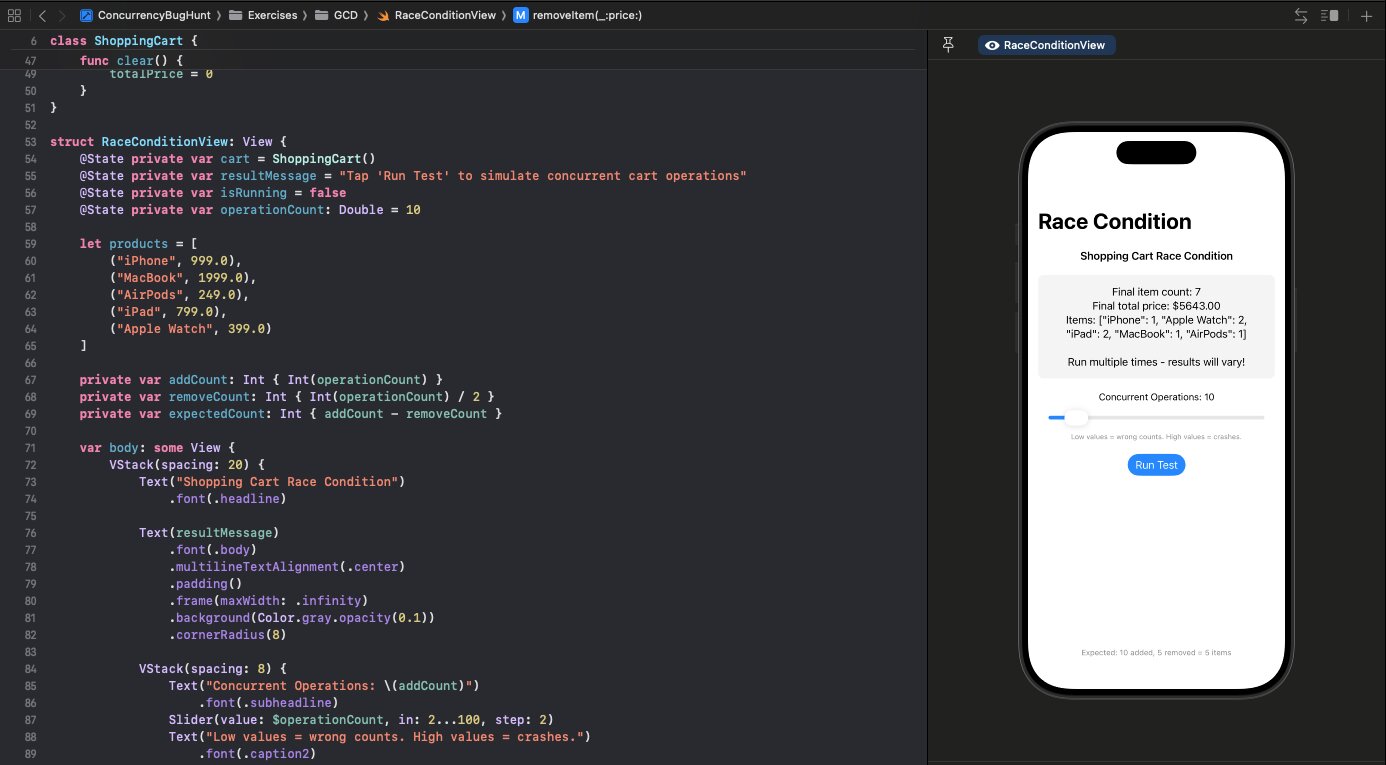
You add 100 items to a shopping cart. You check the count: 93. Run it again—97. Again—89. Welcome to race conditions.
Follow along with the code: iOS-Practice on GitHub
The Bug
Here's a shopping cart class that looks perfectly reasonable:
class ShoppingCart {
    private var items: [String: Int] = [:]
    private var totalPrice: Double = 0

    func addItem(_ name: String, price: Double, quantity: Int = 1) {
        if let existing = items[name] {
            items[name] = existing + quantity
        } else {
            items[name] = quantity
        }
        totalPrice += price * Double(quantity)
    }

    func getItemCount() -> Int {
        items.values.reduce(0, +)
    }
}
And here's code that uses it from multiple threads:
let group = DispatchGroup()
let concurrentQueue = DispatchQueue(label: "cart.concurrent", attributes: .concurrent)

for i in 0..<100 {
    group.enter()
    concurrentQueue.async {
        cart.addItem("iPhone", price: 999.0)
        group.leave()
    }
}

group.notify(queue: .main) {
    print(cart.getItemCount())  // Should be 100, but isn't
}
Why It Breaks
The problem is the read-modify-write pattern:
if let existing = items[name] {    // READ
    items[name] = existing + quantity  // WRITE
}
Between the read and write, another thread can modify items[name]. Thread A reads 5, Thread B reads 5, both write 6. You just lost an item.
Same with totalPrice += price. That's not atomic—it reads, adds, then writes. Two threads can read the same value and both write their own result, losing one addition.
Worse, Swift's Dictionary isn't thread-safe at all. Concurrent mutations can corrupt its internal storage, causing crashes like malloc: pointer being freed was not allocated—the dictionary's memory has been scrambled.
The Fix
Synchronize access to shared state with a serial queue:
class ShoppingCart {
    private var items: [String: Int] = [:]
    private var totalPrice: Double = 0
    private let queue = DispatchQueue(label: "cart.serial")

    func addItem(_ name: String, price: Double, quantity: Int = 1) {
        queue.sync {
            if let existing = items[name] {
                items[name] = existing + quantity
            } else {
                items[name] = quantity
            }
            totalPrice += price * Double(quantity)
        }
    }

    func getItemCount() -> Int {
        queue.sync { items.values.reduce(0, +) }
    }
}
A serial queue ensures only one thread can access the data at a time. The operations become atomic. Note that getItemCount() also needs synchronization—reading shared state from another thread without protection is just as dangerous.
Interview Tip
When reviewing code for race conditions, ask:
- Is this state accessed from multiple threads?
- Are there read-modify-write operations?
- What's protecting the critical section?
If there's no synchronization mechanism (queue, lock, actor), there's probably a bug.
What About Actors?
Swift actors solve this problem by design—all access to an actor's state is automatically serialized. We'll cover thread-safe collections and actors in the next post.