Deadlocks: Sync to Same Queue
Your app freezes. No crash log. No error. Just... frozen. You've probably hit a deadlock.
Follow along with the code: iOS-Practice on GitHub
The Classic: Sync to Same Queue
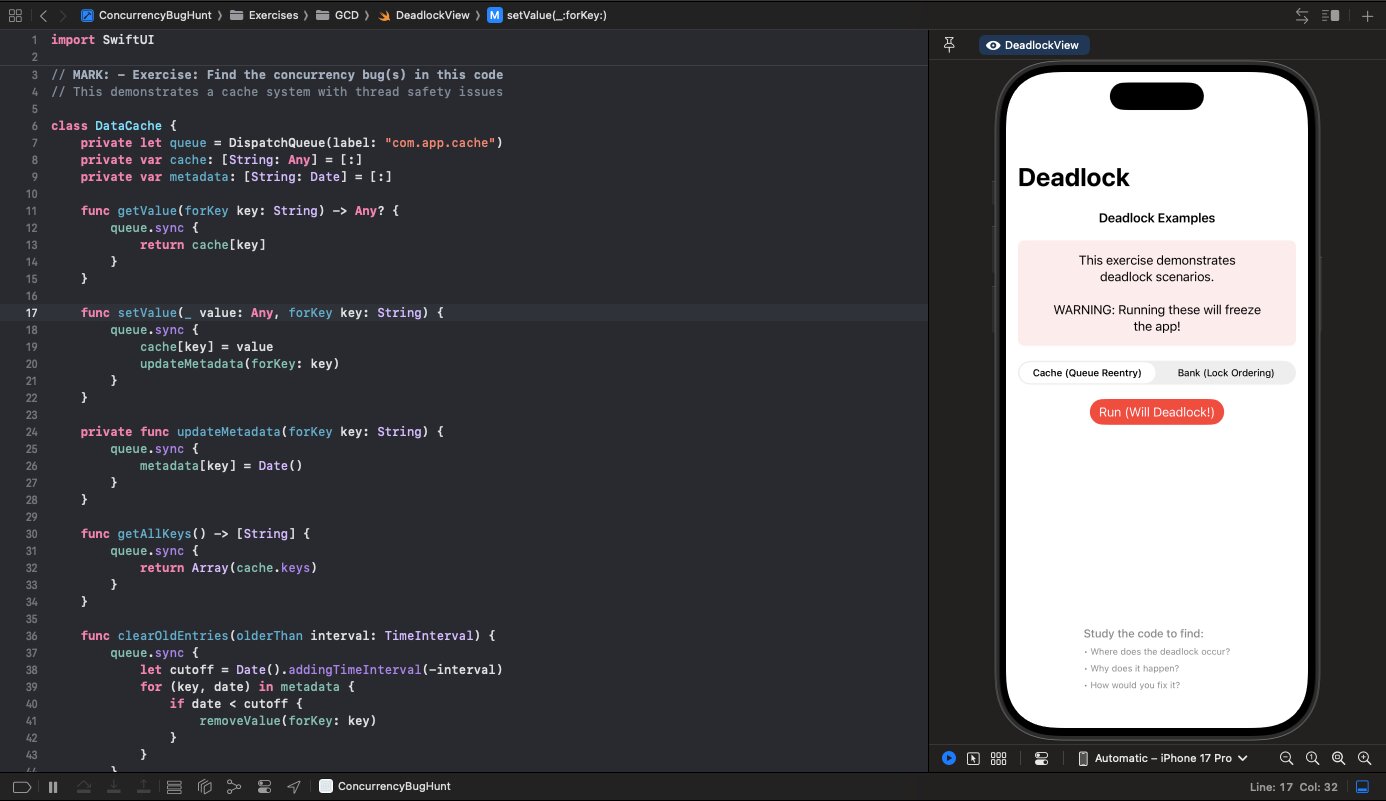
class DataCache {
    private let queue = DispatchQueue(label: "cache.serial")
    private var cache: [String: Any] = [:]

    func setValue(_ value: Any, forKey key: String) {
        queue.sync {
            cache[key] = value
            updateMetadata(forKey: key) // 💀
        }
    }

    private func updateMetadata(forKey key: String) {
        queue.sync { // Deadlock!
            metadata[key] = Date()
        }
    }
}
When setValue is called, it synchronously waits on queue. Inside that block, updateMetadata also synchronously waits on queue. But queue is already occupied by the outer call. Neither can proceed. Deadlock.
The fix: Don't nest sync calls on the same queue. Either:
- Call the inner code directly (you're already on the queue)
- Use
asyncfor the inner call - Restructure to avoid nesting
private func updateMetadata(forKey key: String) {
    // Already on queue - just do it directly
    metadata[key] = Date()
}
Lock Ordering
Two locks, two threads, wrong order:
class BankAccount {
    private let balanceLock = NSLock()
    private let transactionLock = NSLock()

    func transfer(amount: Double, to other: BankAccount) {
        balanceLock.lock()
        defer { balanceLock.unlock() }

        logTransaction("Sending $\(amount)") // Takes transactionLock, then balanceLock

        balance -= amount
        other.receive(amount: amount, from: self)
    }

    private func logTransaction(_ message: String) {
        transactionLock.lock()
        defer { transactionLock.unlock() }

        balanceLock.lock() // 💀 Already held by caller!
        transactionHistory.append("\(message) - Balance: \(balance)")
        balanceLock.unlock()
    }
}
Thread A: holds balanceLock, wants transactionLock
Thread B: holds transactionLock, wants balanceLock
Neither can proceed.
The fix: Always acquire locks in the same order. Or better, don't nest locks:
func transfer(amount: Double, to other: BankAccount) {
    let message: String

    balanceLock.lock()
    if balance >= amount {
        balance -= amount
        message = "Sent $\(amount) - Balance: \(balance)"
    } else {
        message = "Insufficient funds"
    }
    balanceLock.unlock()

    // Log after releasing balance lock
    logTransaction(message)
}
Spotting Deadlocks
Look for:
queue.syncinside anotherqueue.syncon the same queue- Multiple locks being held simultaneously
- Callbacks that might run on the same queue as the caller
Prevention
- Avoid sync when possible. Use async unless you need the return value immediately.
- Single lock policy. One lock per resource. Don't nest.
- Lock ordering. If you must use multiple locks, always acquire them in the same order everywhere.
- Use actors. They handle synchronization and prevent these patterns by design.
Debugging
Deadlocks don't crash—they freeze. Use:
- Xcode's Debug Navigator to see thread states
lldb'sbt allto see all thread backtraces- Instruments' System Trace to see lock contention
When you see two threads both waiting on locks, you've found your deadlock.